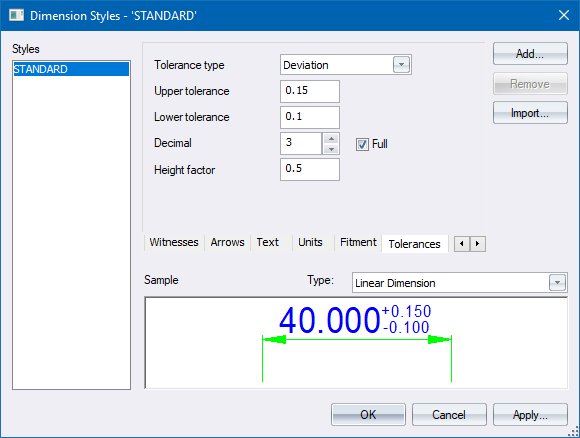
Use this page to configure tolerance display settings.
|
Option
|
Description |
|
Tolerance type |
Select a tolerance type from the dropdown list. The options are:
|
|
Upper tolerance |
Enter the required value for the upper tolerance. |
|
Lower tolerance |
Enter the required value for the lower tolerance. |
|
Decimal places |
Enter the number of decimal places to display for the tolerance values. |
|
Full |
Select this checkbox to always have decimal places of tolerance values displayed, even if they are 0. |
|
Height factor |
The height factor of the tolerance text relative to the main dimension text. |
 The tolerance values are not affected by the unit scale (see the Units page).