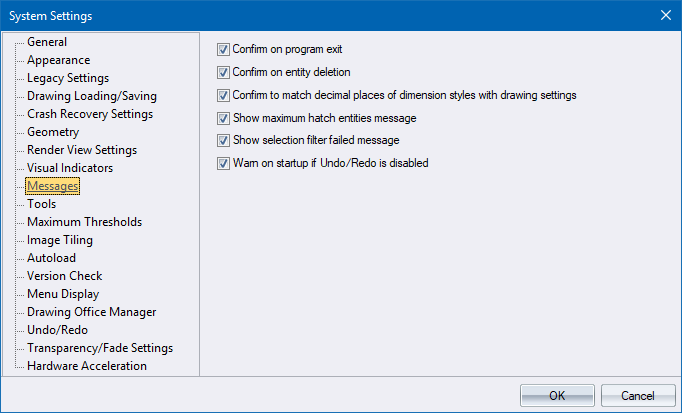
Use this page to enable or disable various confirmation messages.
|
Option
|
Description |
|
Confirm on program exit |
Select this checkbox to display a confirmation message when AllyCAD exits. |
|
Confirm on entity deletion |
Select this checkbox to display a confirmation message whenever you delete entities in the drawing. |
|
Confirm to match decimal places of dimension styles with drawing settings |
Select this checkbox to display a confirmation message to update the dimension styles when the number of decimals have changed in the drawing settings. |
|
Show maximum hatch entities message |
Select this checkbox to display a confirmation message when a hatch has exceeded the maximum number of entities during a redraw. |
|
Show selection filter failed message |
Select this checkbox to display an error message when the selection filter has failed to find any entities. |
|
Warn on startup if Undo/Redo is disabled |
Select this checkbox to display a warning on startup if the Undo/Redo system is disabled. |