Spell Check
The supplied dictionary contains approximately 91,100 English (UK and
US) words, 2,990 Afrikaans words and 550 English engineering terms. In
addition, you can add words to your own personal dictionary. The personal
dictionary is named EdxPersonal.txt and is stored in the folder:
C:\Users\<user>\AppData\Roaming\Knowledge Base Software\AllyCAD
8.3 (or Civil Designer 8.3).
It is an ASCII file containing one word per line (case-insensitive).
You can choose to spell check existing single and multiline text entities
in the current drawing or layout, in all drawings/layouts or in the current
selection set.
You can also spell check input of new single or multiline text entities
(including legacy text input), arc-aligned text entities or attribute
definitions.
Procedure
In
CAD mode, select Tools ► Text ► Spell Check
and specify if you want to run the function in the Current
Drawing, All Layouts
or the current Selection.
Alternatively, click the  icon in various toolbars and dialogs. The Spell Check dialog displays.
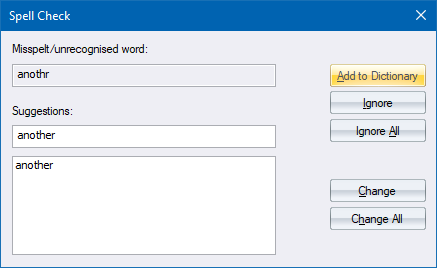
The
unrecognised word is displayed, as well as a list of suggested words (if
any). The first of the suggestions is already selected. If there are no
suggestions, the unrecognised word is selected. You can retype or edit
the suggested word, or select another from the displayed list (if any).
Click Add
to Dictionary to have the unrecognised word added to your
personal dictionary.
Click
Ignore to ignore this instance of the word.
Click
Ignore All to ignore this word now and for the rest of
the current spell check session.
Click Change
to replace this instance of the unrecognised word with the suggested
word.
Click Change All to replace
the unrecognised word with the suggested word now and for the
rest of the current spell check session.
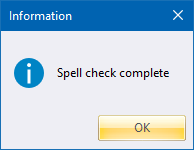
Once the spell check
is complete, the following message displays.