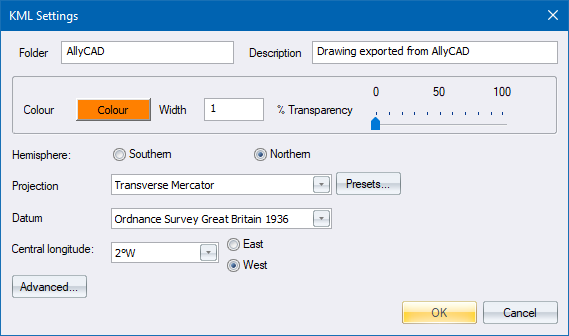
These options allow you to specify what must be exported to the KML file, and what the exported entities must look like.
Option
|
Description |
Folder |
Enter the name to use for the main Google Earth folder. |
Description |
Enter a description to use for the Google Earth folder. |
Colour |
Specify the colour for the drawing entities. |
Width |
Specify the line width in pixels of the drawing entities. |
% Transparency |
Specify the transparency factor of the drawing entities. |
Projection |
Select the projection from the list. |
Presets button |
Click to select from various preset systems. |
Datum |
Select the datum from the list. Be aware that Google Earth only supports WGS84. |
Central longitude |
Select the central longitude from the list. |
East/West |
Specify if the central longitude is east or west. |
Advanced... |
Displays the advanced projection settings. |