Icon
Command
Shortcut Key
Toolbar

TEXTTOMULTITEXT
Tools
Convert single-line text to multiline text.
|
Icon |
Command |
Shortcut Key |
Toolbar |
|
|
TEXTTOMULTITEXT |
|
Tools |
This function allows you to convert one or more single line text entities into multiline text.
 To convert multiple single-line text entities into one multiline text entity, select all the required single-line text entities before starting the function.
Procedure
Indicate single-line text entity to be converted to multiline text
Click the text item to be converted.
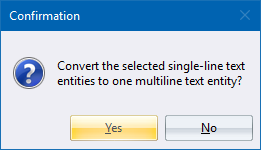
Click Yes to convert the single-line text entities into one multiline text entity.