Icon
Command
Shortcut Key
Toolbar

TOGGLEDPLOCA
[F8]
Tools
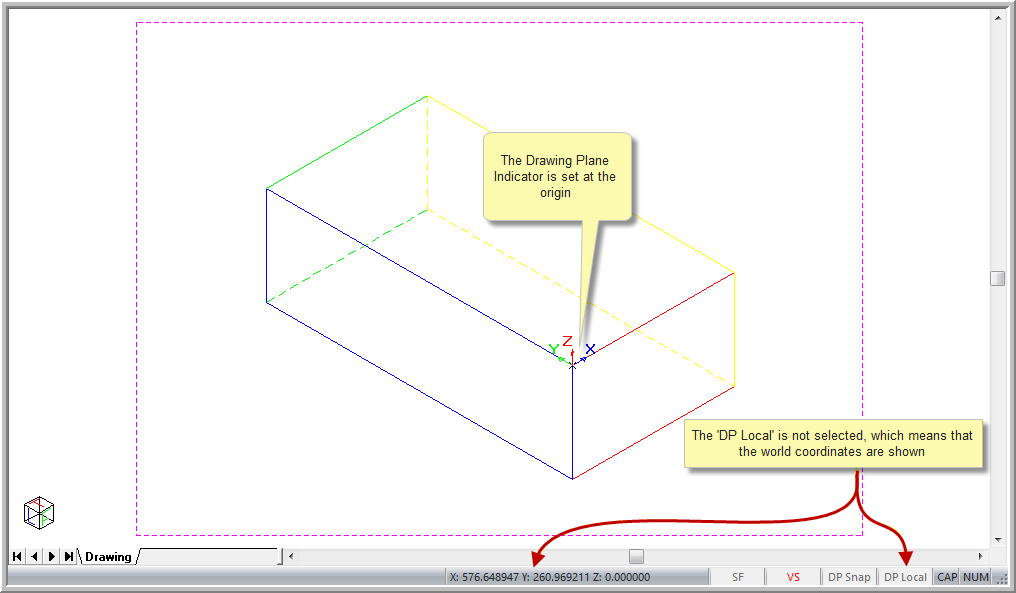
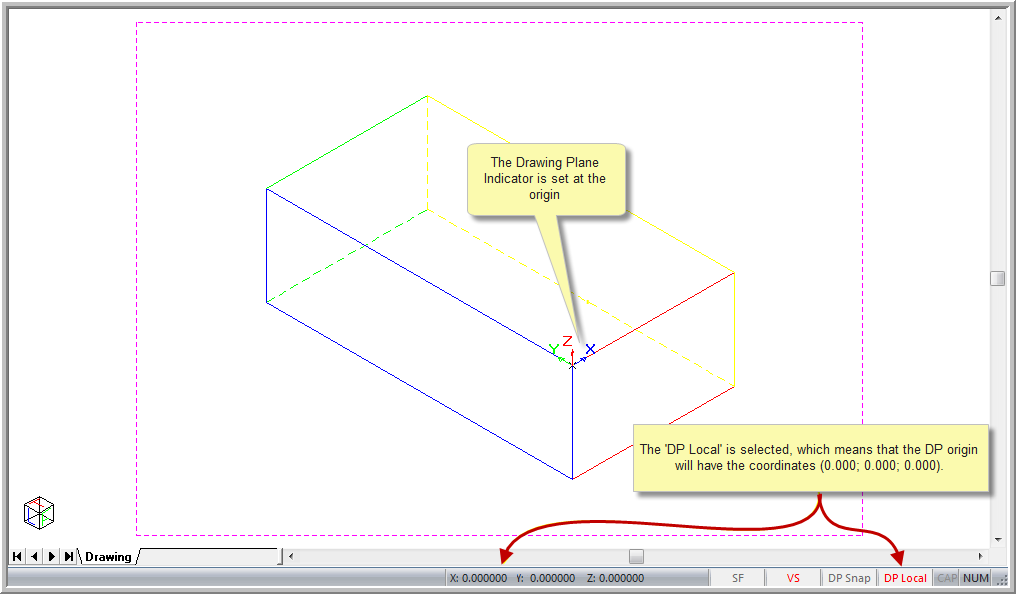
Switch the coordinate display between world and local coordinates.
|
Icon |
Command |
Shortcut Key |
Toolbar |
|
|
TOGGLEDPLOCA |
[F8] |
Tools |
This function allows you to switch the coordinate display between global and local coordinates. The text in the Status Bar turns red if the local coordinate display is active.

Procedure
To switch the coordinate display between global and local coordinates:
Select Settings ► Toggles ► DP Local or click the icon at the bottom right of the screen. Alternatively, press [F8].