 This function
is only available if more than one layout exists.
This function
is only available if more than one layout exists.Delete all the layouts in the drawing.
Icon |
Command |
Shortcut Key |
Toolbar |
|
DELETEALLLAYOUTS |
|
|
This function
is only available if more than one layout exists.
Procedure
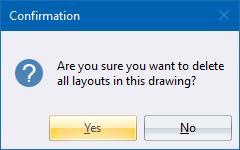
Click Yes to delete all the layouts in the drawing; or No to cancel the function without deleting any layouts.