Icon
Command
Shortcut Key
Toolbar

GEOMPPLINE
Geometry
Draw a geometry line through two points.
|
Icon |
Command |
Shortcut Key |
Toolbar |
|
|
GEOMPPLINE |
|
Geometry |
This function allows you to draw a geometry line through two indicated points, by indicating the two points the line must pass through.
 Geometry lines are infinite lines that never print or plot, and are seen in all layers. To change the appearance of all geometry, see Geometry Settings under System Settings.
Procedure
To draw a geometry line through two indicated points:
Select Geometry ► Lines ► Point-to-Point Line or click the icon in the Geometry toolbar.
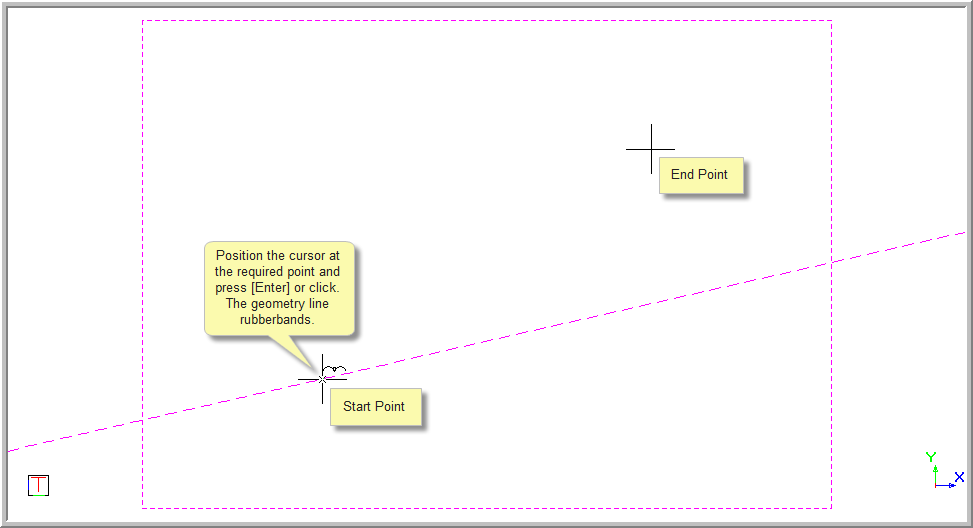
Indicate start position of line
Position the cursor at the start point and press [Enter] or click to indicate the through point. Use the snaps and jumps to insert the geometry line accurately.
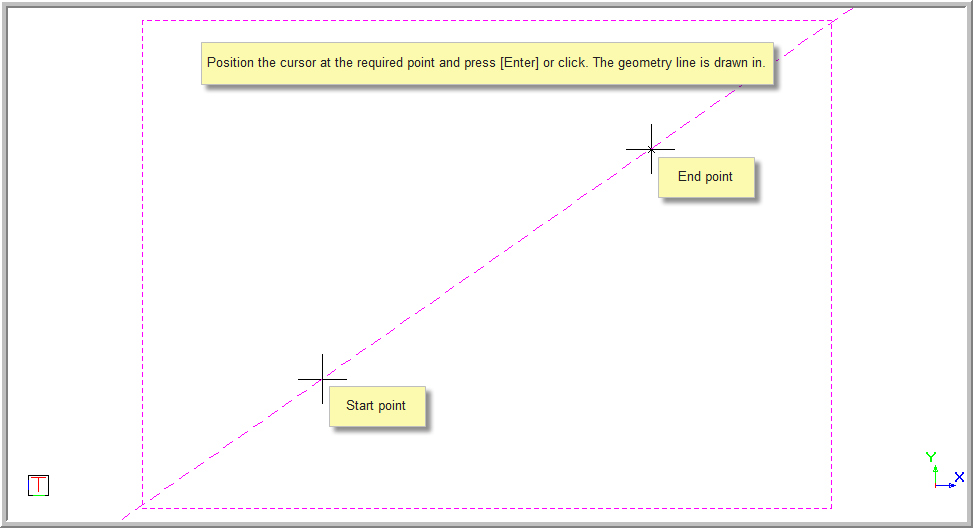
Indicate end position of line
Position the cursor at the end point and press [Enter] or click to indicate the through point. Use the snaps and jumps to insert the sloped line accurately.
The function repeats.