Icon
Command
Shortcut Key
Toolbar

GEOMCIRCLETANL
Geometry
Draw a geometry circle tangent to a geometry line, through an indicated point and with a specified radius.
|
Icon |
Command |
Shortcut Key |
Toolbar |
|
|
GEOMCIRCLETANL |
|
Geometry |
This function allows you to draw a geometry circle of given radius tangential to a geometry line and to pass through a specific point by:
Indicating the line for the circle to be tangent to.
Specifying the radius of the circle.
Indicating the point the geometry circle must pass through.
Select the correct tangential circle from the options presented.
If the specified radius is too small the radius will be set to the minimum value allowed.
 Geometry lines are infinite lines that never print or plot, and are seen in all layers. To change the appearance of all geometry, see Geometry Settings under System Settings.
Procedure
To draw a geometry circle of given radius tangential to a geometry line and to pass through an indicated point:
Select Geometry ► Circles ► Tangent to ► Line, or click the icon in the Geometry toolbar.

You can set the radius of the circle by clicking in the text box or pressing [Tab] to move into the text box and typing the required radius.
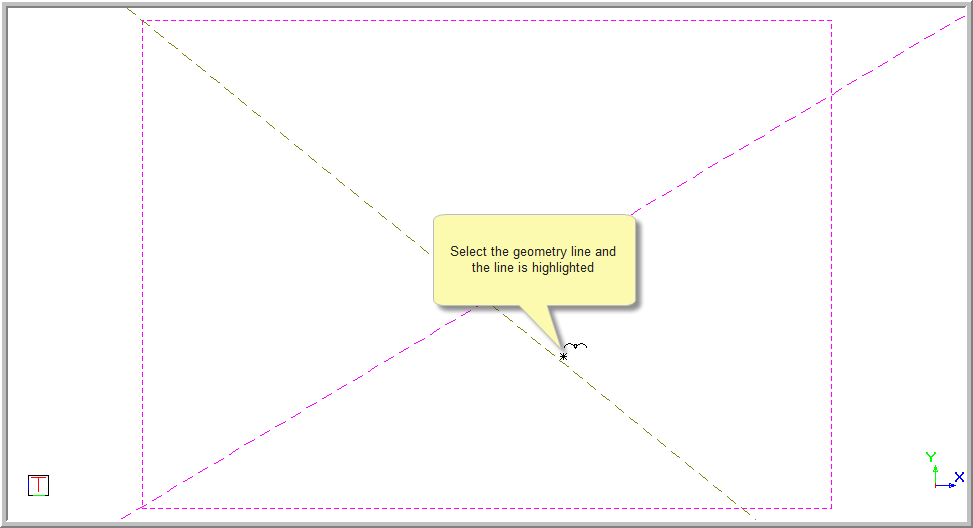

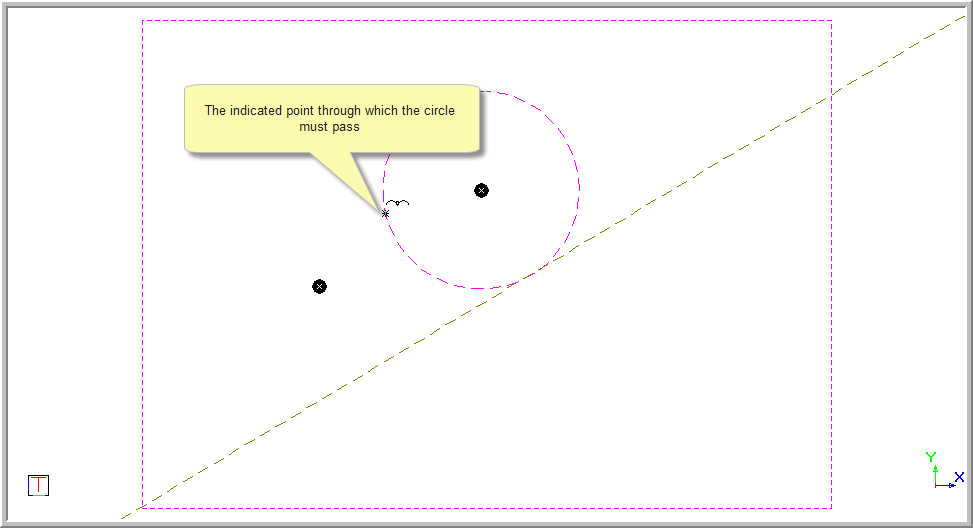
Position the cursor at the required tangential point and press [Enter] or click. You can use one of the snap or jump functions to position the point accurately. The two tangential circle centre points are indicated and the rubberbanded preview of the circle added to one of the centre points.
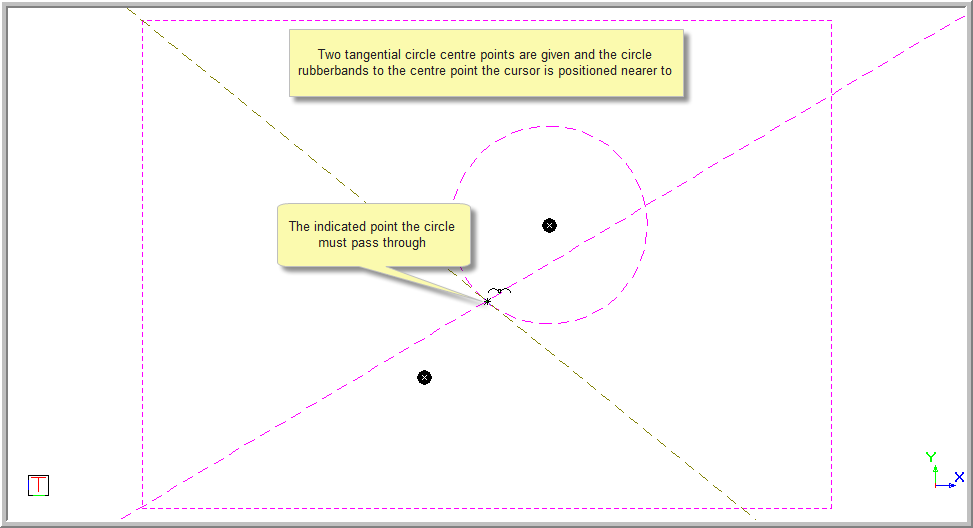
You are prompted to:

Position the cursor near the correct centre point and press [Enter] or click to select the point.
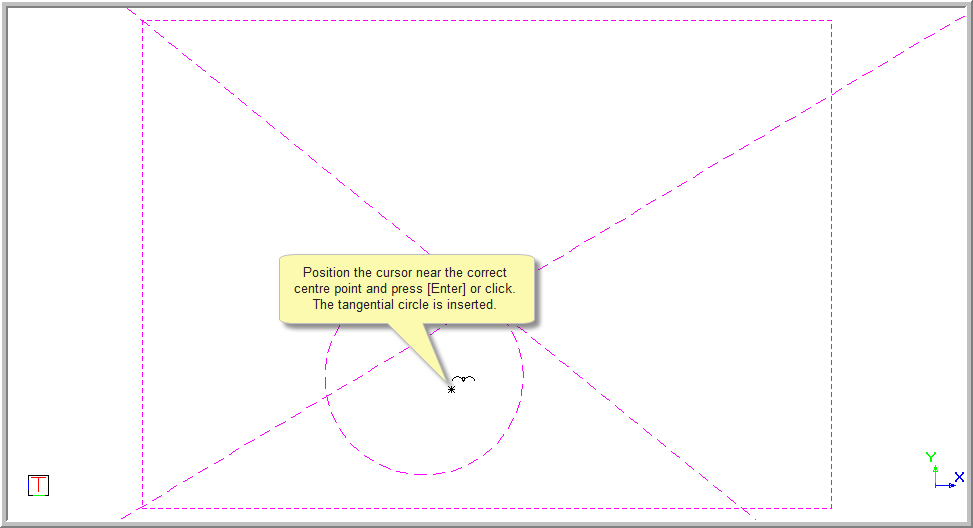
The indicated point through which the circle must pass does not have to be on the selected geometry line. If the specified radius is too small the radius will update to the minimum value allowed.
If the incorrect point has been selected, right-click in the drawing area and select Cancel to return to the beginning and indicate the Geometry line.
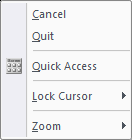
Right-click on the screen and select Quit to end the function. Alternatively, press [Esc].