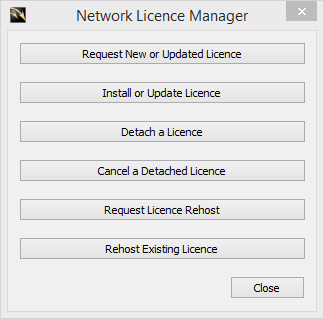
The Network Licence Manager is available as a separate install on the AllyCAD CD.
|
Option
|
Description |
|
Request New or Updated Licence |
Generate an email request in order to get a new or updated licence. Emails an .fgp (new licence) or .c2v (existing licence) file to Knowledge Base for processing. |
|
Install or Update Licence |
Apply the licence file received to the licence server. Installs a .v2c (new or updated licence) file from Knowledge Base, or an .h2h (rehosted licence) file from an existing licence server. |
|
Detach a Licence |
Detach a network seat to be used as a temporary stand-alone licence. Processes an id file from a user and emails an .h2r file to the user which creates a time-limited stand-alone licence. |
|
Cancel a Detached Licence |
Return a detached licence to the seat pool before the expiry date. Processes an r2h file from a user who wants to return a detached licence before the specified expiry date. |
|
Request Licence Rehost |
Request the takeover of a network licence from an existing host. Emails an id file to an existing licence server in order to rehost (transfer) the network licence. |
|
Rehost Existing Licence |
Transfer existing network licence to another host. Processes an id file from a new licence server and emails an .h2h file, which transfers the existing network licence to the new licence server. |
To set the password required to access the network licence server:
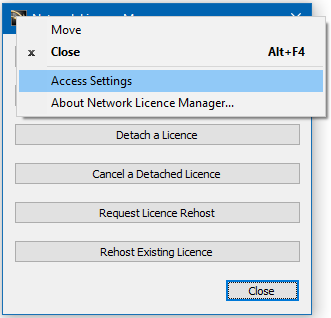
In the Network Licence Manager, click the icon in the top left corner and select Access Settings.
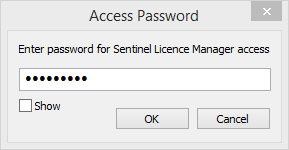
Set the password required to access the Sentinel Admin Control Centre and click OK.