Icon
Command
Shortcut Key
Toolbar

SHPEXPORT
MAIN
Export data in SHP file format.
|
Icon |
Command |
Shortcut Key |
Toolbar |
|
|
SHPEXPORT |
|
MAIN |
This function allows you to export points, lines and polylines (both lightweight and 3D) to 3D SHP files. This means you can share your data with most Geographical Information Systems (GIS) platforms.
You can import SHP files by selecting File ► Open.
 This function only exports points, lines, polylines, arcs and circles.
Procedure

Select one of the radio buttons and click Enter  .
.
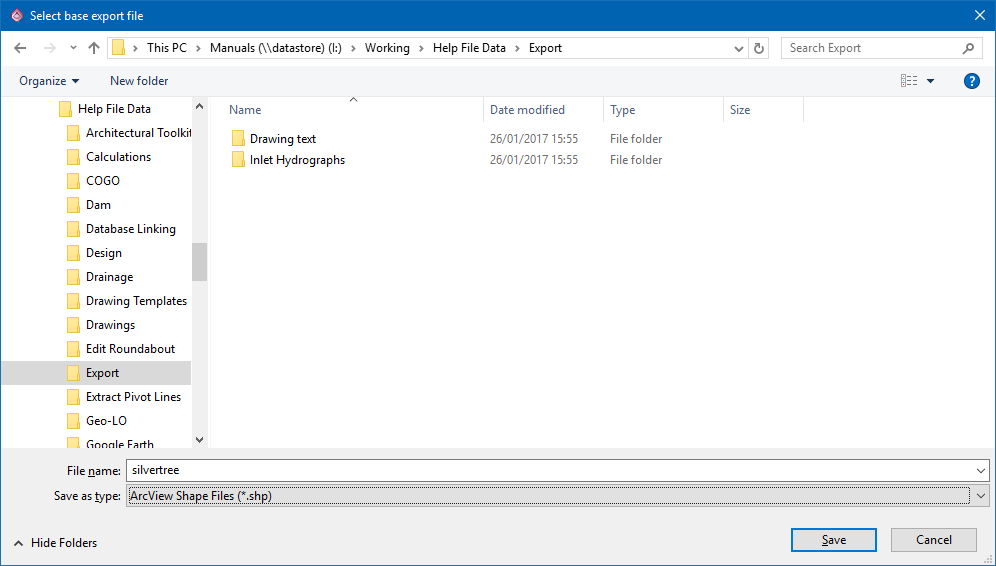
This is because each entity type is exported into a separate file. For instance, if the base name is "Silvertree", the following files are created:
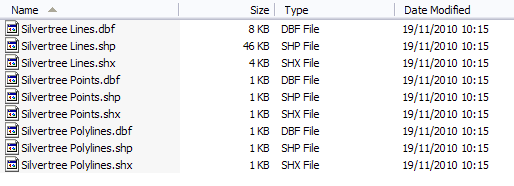
Each entity type is saved to three sub-files:
SHP - Entity attributes such as pen, coordinates.
DBF - Entity ID.
SHX - Index to the entities in the SHP file.
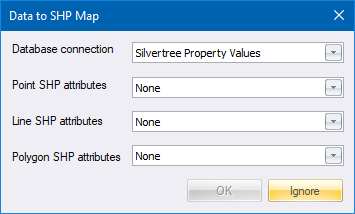
If a database is connected to the drawing, the Data to SHP Map window displays:
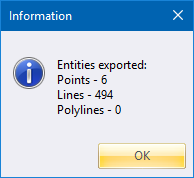
Click OK to close the message.