Icon
Command
Shortcut Key
Toolbar

EXIT
[Alt+F4]
Misc
Quit the program, ending all drawing and design functions.
|
Icon |
Command |
Shortcut Key |
Toolbar |
|
|
EXIT |
[Alt+F4] |
Misc |
This function allows you to exit AllyCAD and close the program.
If any open drawings have not been modified, or have been saved, the drawing windows close and AllyCADexits. If any open drawings have been modified, you are prompted to save them.
Procedure
When you are finished working in AllyCAD and want to close the program, select File ► Exit or click the X icon in the top right hand corner of the screen.
A message displays.
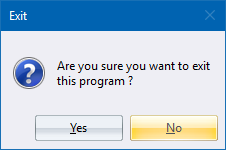
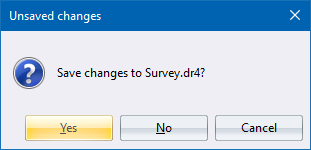
If you click Yes, you must select a new name and/or file path in which to save the drawing (see Save As). If you click No AllyCAD closes and any changes are lost. If you click Cancel you return to the open drawing.