Icon
Command
Shortcut Key
Toolbar

ELLIPTICALARC
Drawing
Draw an elliptical arc.
|
Icon |
Command |
Shortcut Key |
Toolbar |
|
|
ELLIPTICALARC |
|
Drawing |
This function allows you to draw a part ellipse by entering the centre point, the semi-major axis, the semi-minor axis; and then indicating the start and end angles of the part ellipse or elliptical arc.
The elliptical arc is drawn anti-clockwise from the start point to the end point as with circular arcs.
The start and end angles of the ellipse are calculated anti-clockwise from the major axis with the ellipse normal facing up.
Full ellipses and elliptical arcs are the same entity type. This means and elliptical arc can be made into a complete ellipse by editing the start and end angles in the Property Bar.
 You can draw a part ellipse using the Full Ellipse option to draw an ellipse, and then using Cut and Rub to remove the unwanted portion of the ellipse.
Procedure
Indicate centre of ellipse
Position the cursor over the desired centre position, and then click or press [Enter].
You are prompted to:
Indicate semi-major axis of ellipse
A line rubberbands, showing the semi-major axis.
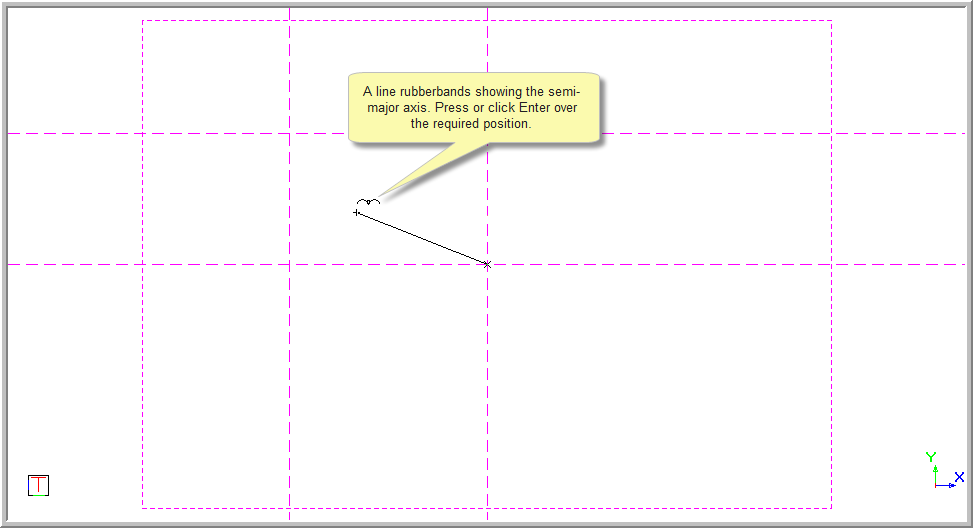
Position the cursor on the endpoint for the semi-major axis of the ellipse, and then click or press [Enter]. You can jump to the desired point or use the snaps.
You are prompted to:

The ellipse is shown and you can drag it to the desired position for the semi-minor axis. The direction of the semi-minor axis is calculated as the cross product of the drawing plane normal and the major axis vector. Therefore, only the length of the semi-minor axis is required. The distance of the cursor from the major axis is used for graphical input.
Position the cursor on the point for the semi-minor axis of the ellipse and click or press [Enter]. You can jump to the desired point or use the snaps to arrive at the desired position.
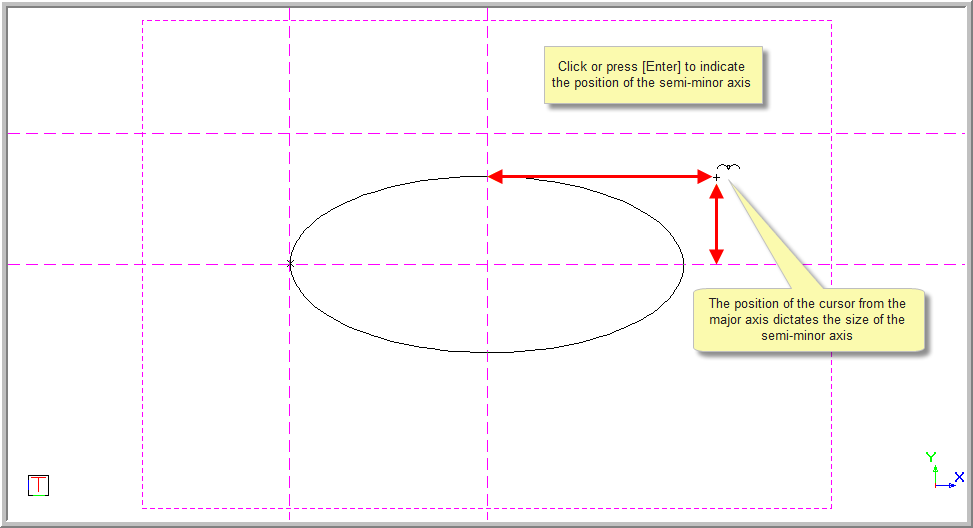
The ellipse is now set.
You can also click in the text box, or press [Tab] to move into the text box, and then type in the required measurement for the minor axis.
Click Enter  or press [Enter] to insert the ellipse and set it in position.
The full ellipse is drawn in and you are prompted to:

A line is shown from the centre point to the cursor showing where the elliptical arc will start.
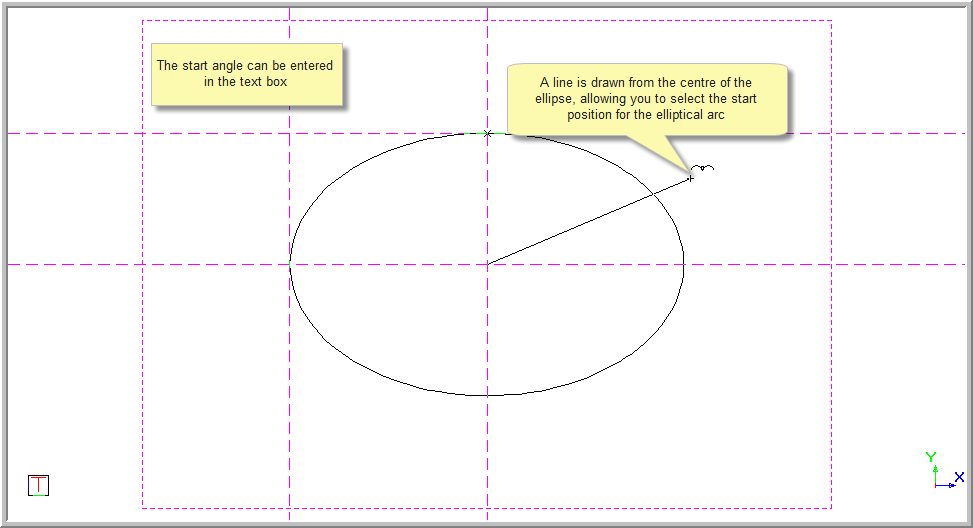
Only the direction of the line from the centre point matters.
Position the cursor so that the line intersects the ellipse at the desired start point of the arc, and then press [Enter] or click. Alternatively, you can enter the start angle in the text box on the Control Bar.
The ellipse disappears until you move the cursor.
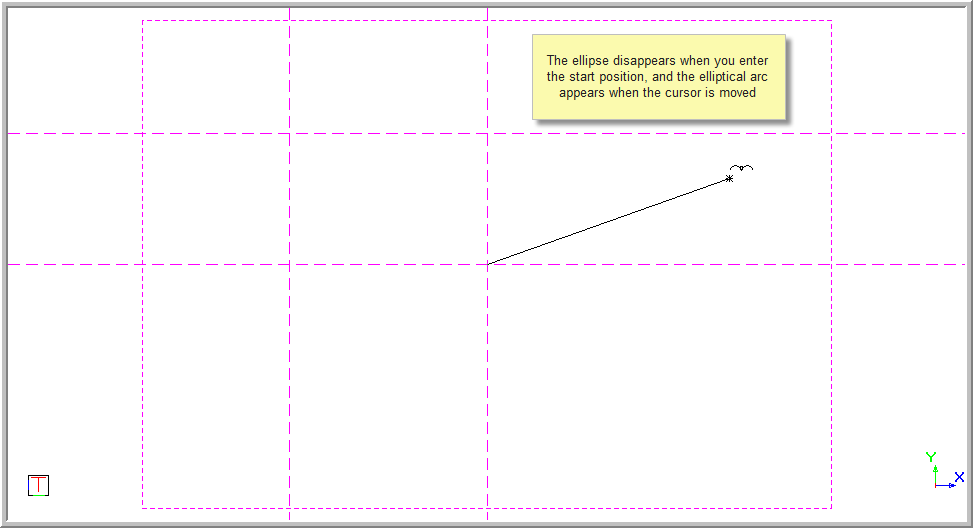

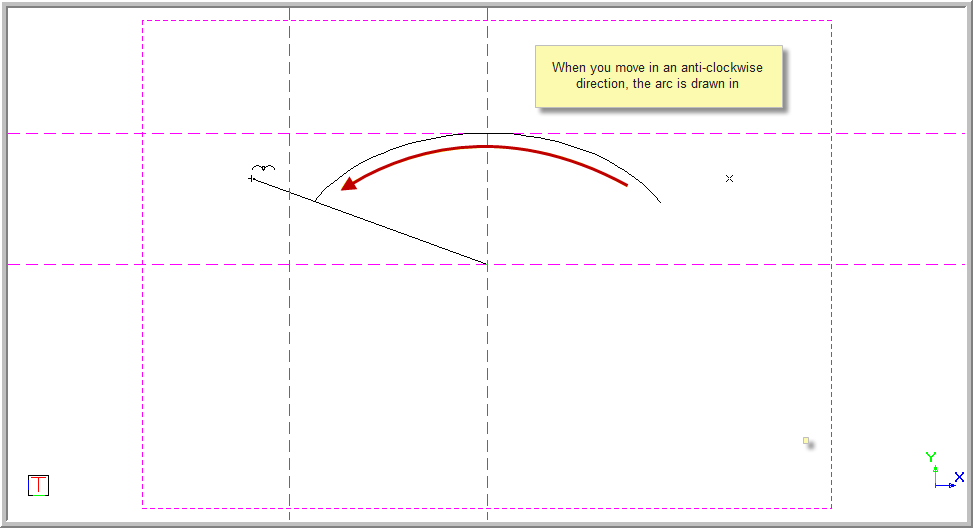
The end angle is entered in the same way as the start angle except only the arc of the ellipse from the start point to the cursor is shown.
When you move in an anti-clockwise direction, the arc appears as if it is being drawn.
When you move in an anti-clockwise direction, it appears as if the portion of the arc is being removed.
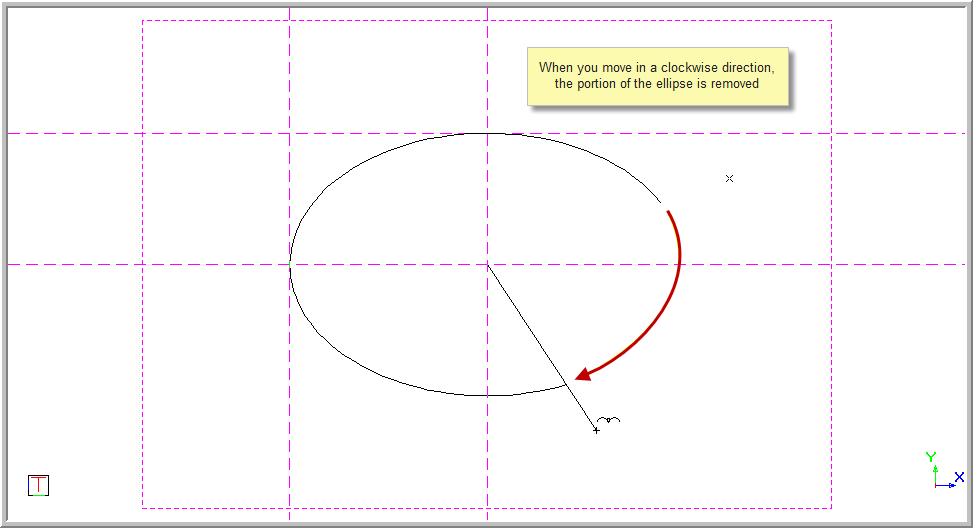
Press [Enter] or click on the position to end the arc. Alternatively, enter the end angle in the text box on the Control Bar.
The function repeats and you can continue to draw the next elliptical arc if required.
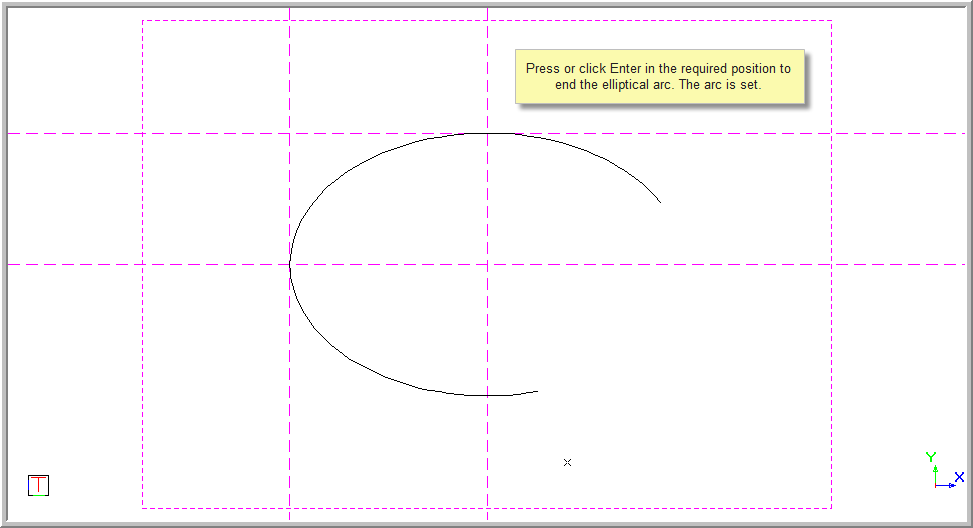
You can also click in the text box, or press [Tab] to move into the text box, and then type in the required measurement for the Line angle to start the elliptical arc.

The Line angle is calculated from the centre of the ellipse to the point indicated for the semi-major axis.
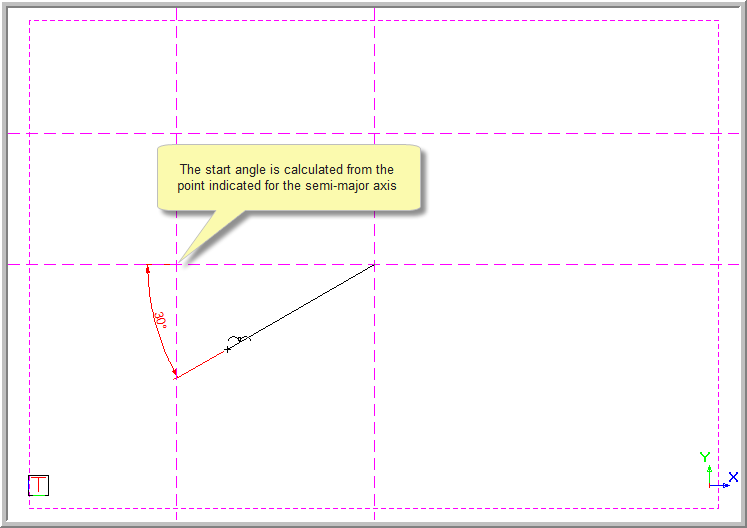
Click Enter or press [Enter] to indicate the start angle. The arc starts from the designated position and a rubberbanded line appears.
You are prompted to:

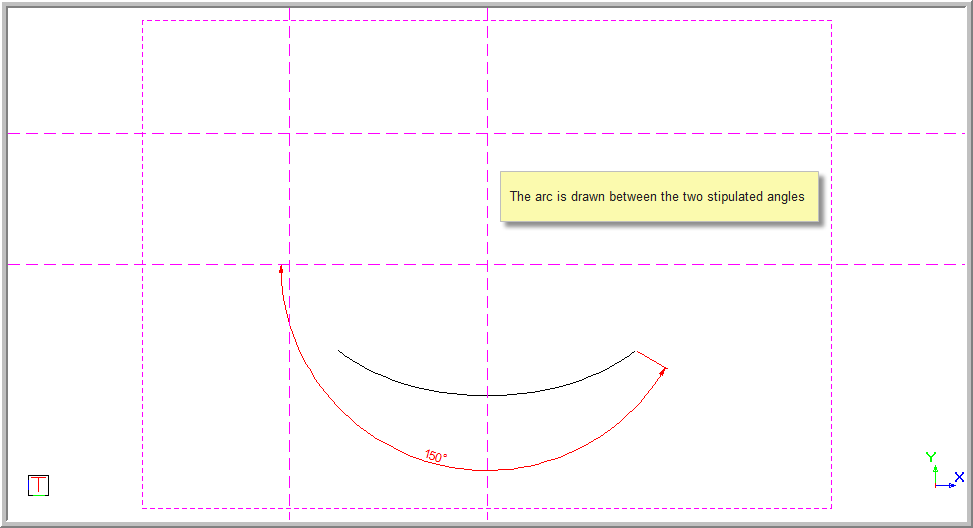
Click in the text box, or press [Tab] to move into the text box, and then type in the required measurement for the Line angle to end the elliptical arc. The Line angle is calculated from the centre of the ellipse to the point indicated for the semi-major axis.
Click Enter or press [Enter] to indicate the end angle. The elliptical arc is drawn in between the two stipulated angles.
When you select Line angle and click ..., a select box drops down and you can select the method for drawing the arc angle.