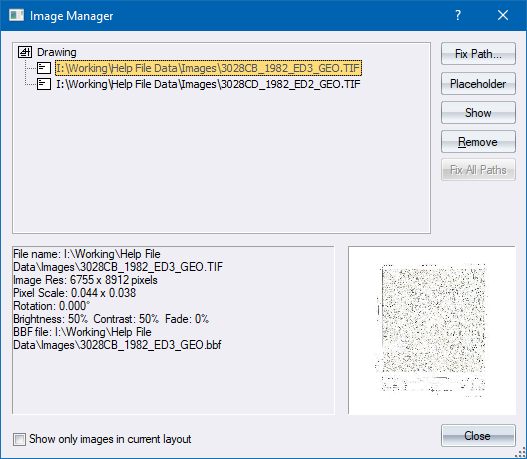
Manage all images in the current drawing.
|
Option
|
Description |
|
List |
Displays a list of all images in the drawing, separated into the layouts in which they belong. Visible images are marked with the |
|
Image information |
Lists the properties of the currently selected image. |
|
Preview |
Displays a preview of the currently selected image. |
|
Show only images in current layout |
Select this checkbox to list only images in the current layout. |
|
Fix Path... |
Click to browse for a new path to the currently selected image (to fix the image path, or to change the image). |
|
Placeholder |
Click to toggle the Placeholder status of the currently selected image. When displayed as a placeholder, the bounding box of the image is displayed instead of the image itself. |
|
Show |
Click to zoom to the position, in the drawing, of the currently selected image. |
|
Remove |
Click to remove the currently selected image from the drawing. You are prompted for confirmation of this action. |
 icon and hidden (placeholder) images are marked with the
  icon.
icon.