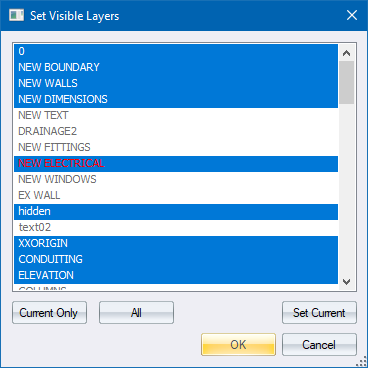
Quickly toggle the visibility status of layers. The current layer is always visible.
|
Option
|
Description |
|
Layer List |
Displays a list of the layers in the drawing. Visible layers are highlighted with a blue background. Select the visible layers by clicking them. |
|
Current Only button |
Click to set the current (working) layer as the only visible layer. |
|
All button |
Click to set all layers visible. |
|
Set Current button |
Click to display the Layer Select options where you can change the current layer. |
 Press [Shift] and click to extend the selection from the highlighted layer to the clicked layer. Press[Ctrl] and click to make multiple disconnected selections.