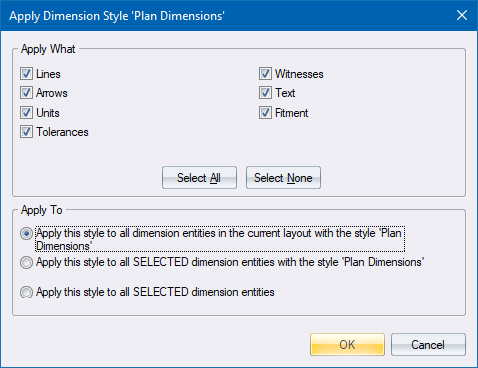
Apply the currently selected dimension style to existing dimensions in the drawing.
|
Option
|
Description |
|
Apply What |
Select the checkboxes associated with the style elements you want applied. |
|
Select All button |
Mark all style elements as selected. |
|
Select None button |
Clear all the style element checkboxes. |
|
Apply to all dimension entities with style |
Select this option to have the Apply What settings applied to all dimension entities with the matching style, irrespective of selection status. |
|
Apply to all selected dimension entities with style |
Select this option to have the Apply What settings applied only to selected dimension entities with a matching style. |
|
Apply to selected dimension entities |
Select this option to have the Apply What settings applied only to selected dimension entities, regardless of current style. |