Alter the pen/colour of entities.
|
Icon |
Command |
Shortcut Key |
Toolbar |
|
|
SetEntityPen.a4s |
|
|
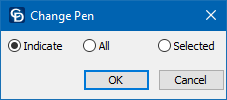
This function allows you to change the pen colour for the specified entities. You can indicate a single entity to change, change all entities, or change the currently selected entities.
Procedure
Select Toolkit ► General and select the Change Entity Pen option.
Indicate - Select this option if you want to specify a particular entity to change after you've selected your pen colour.
All - Select this option if you want to change the entity pen for all entities in your drawing.
Selected - Select this option if you have already selected the entities you want to change in your drawing. Only the selected options will be changed.
Click OK.
The Colour Selection dialog displays.
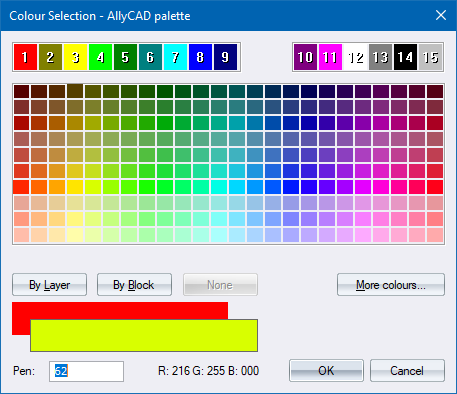
Select a colour and click OK.